
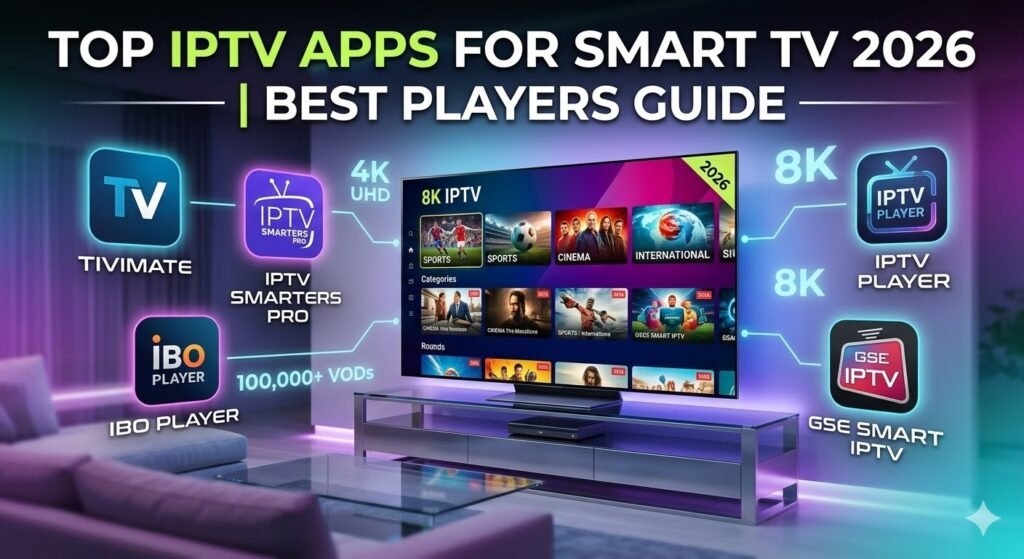
Top IPTV Apps for Smart TV
Transform your Smart TV into a powerful streaming hub with the best IPTV applications of 2026
Smart TVs have revolutionized home entertainment, and in 2026, IPTV apps have become the cornerstone of modern streaming experiences. With traditional cable subscriptions declining and internet-based television gaining momentum, choosing the right IPTV app for your Smart TV is more important than ever. These applications unlock access to thousands of live channels, on-demand content, and international programming directly on your television screen.
The IPTV landscape has matured significantly, offering sophisticated apps with intuitive interfaces, advanced features, and seamless integration with Smart TV platforms. Whether you own a Samsung, LG, Sony, or any other Smart TV brand, this comprehensive guide will help you discover the top IPTV apps that deliver exceptional streaming quality and user experience in 2026.
What Is an IPTV App?
An IPTV app (Internet Protocol Television application) is specialized software that enables you to stream television content over the internet rather than through traditional broadcast methods like cable or satellite. These apps serve as the interface between your IPTV service provider and your Smart TV, organizing and delivering content in an accessible, user-friendly format.
IPTV apps function by receiving streaming data through various protocols and playlist formats, most commonly M3U, M3U8 files, or Xtream Codes API connections. Once configured with your IPTV subscription details, these apps decode the streaming data and present it through an organized channel guide, complete with electronic program guides (EPG), category sorting, search functionality, and playback controls.
Why IPTV Apps Matter: While your IPTV service provides the content streams, the app you choose determines your entire viewing experience. A quality IPTV app offers smooth navigation, minimal buffering, reliable EPG data, and features like catch-up TV, recording, and multi-screen viewing. The right app transforms raw streaming data into an experience that rivals or exceeds traditional cable television.
Best IPTV Apps for Smart TV
After extensive testing across multiple Smart TV platforms and analyzing user feedback from thousands of streamers, we've identified the top IPTV apps that deliver outstanding performance, features, and reliability in 2026. Each app brings unique strengths to different Smart TV ecosystems.
TiviMate IPTV Player
Overview: TiviMate has earned its reputation as the premier IPTV player for Android-based platforms, including Android TV-powered Smart TVs. Designed exclusively for IPTV streaming, TiviMate delivers a polished, cable-like interface that makes channel surfing feel natural and enjoyable on large television screens.
Key Features:
- Stunning TV-optimized interface with smooth animations
- Support for up to 5 playlists simultaneously (premium version)
- Advanced EPG with customizable program guide layouts
- Built-in DVR functionality for recording live TV
- Catch-up TV support for watching missed programs
- Picture-in-picture mode for multitasking
- Parental controls with PIN protection
- Favorites management and custom channel groups
- Multiple theme options for interface customization
Supported Devices: Android TV Smart TVs (Sony, TCL, Hisense, Philips), NVIDIA Shield TV, Mi Box, Chromecast with Google TV, and other Android TV devices
Advantages: TiviMate's interface is specifically optimized for TV screens and remote control navigation, making it feel like a native Smart TV application. The premium version's recording capabilities and unlimited playlist support make it invaluable for power users. Performance is consistently smooth even with large channel lists, and the EPG integration is among the most reliable in the industry.
For detailed information and setup guides, visit TiviMate's official website.
Discover TiviMateIPTV Smarters Pro
Overview: IPTV Smarters Pro stands out as the most versatile IPTV app available in 2026, with native support across virtually every Smart TV platform and operating system. Its cross-platform consistency and comprehensive feature set make it an excellent choice for households with multiple device types.
Key Features:
- Universal compatibility across all major platforms
- Support for Xtream Codes API, M3U URL, and M3U playlist files
- Integrated video player with extensive codec support
- Comprehensive EPG with detailed program information
- Parental control system with customizable restrictions
- Multi-screen support for watching multiple channels
- External player integration (VLC, MX Player)
- Catch-up TV for time-shifted viewing
- Chromecast support for casting to other displays
- Regular updates with new features and improvements
Supported Devices: Samsung Smart TV (Tizen), LG Smart TV (webOS), Android TV, Apple TV, iOS devices, Android smartphones/tablets, Windows PC, macOS, Amazon Firestick
Advantages: The primary advantage of IPTV Smarters Pro is its availability on virtually every platform, ensuring a consistent experience whether you're watching on your Samsung Smart TV, LG TV, or any other device. The app receives frequent updates addressing bugs and adding features based on user feedback. Setup is straightforward with a helpful wizard that guides users through playlist configuration.
Learn more about features and download options at IPTV Smarters Pro official site.
Get IPTV Smarters ProBob Player IPTV
Overview: Bob Player has rapidly gained popularity among Smart TV users who value simplicity and performance. With its clean, minimalist interface and efficient resource management, Bob Player delivers a smooth streaming experience even on older Smart TV models with limited processing power.
Key Features:
- Clean, intuitive interface designed for TV remotes
- Lightning-fast channel switching and loading
- Support for M3U playlists and Xtream Codes
- EPG integration with multiple source support
- Favorites system and custom channel organization
- Built-in player with hardware acceleration
- Low memory footprint for optimal performance
- Simple setup process with minimal configuration
- Automatic playlist refresh functionality
Supported Devices: Android TV Smart TVs, Amazon Fire TV devices, Android TV boxes, Android smartphones and tablets
Advantages: Bob Player excels in performance optimization, making it ideal for users with older Smart TV models or those experiencing lag with other apps. The minimalist design eliminates unnecessary features, focusing on core functionality that works flawlessly. Channel switching is noticeably faster than many competitors, and the app rarely crashes or freezes. Setup takes just minutes, making it perfect for users who want to start streaming immediately.
Explore Bob Player's capabilities at Bob Player official website.
Try Bob PlayerNet IPTV Player
Overview: Net IPTV has established itself as the premium choice for Smart TV users, particularly those with Samsung and LG televisions. With native apps for major Smart TV platforms and cloud-based playlist management, Net IPTV offers a professional-grade streaming solution with exceptional stability and features.
Key Features:
- Native apps for Samsung Tizen and LG webOS
- Cloud-based playlist storage and synchronization
- Support for multiple playlist formats and sources
- Advanced EPG with detailed program scheduling
- Automatic playlist updates and maintenance
- Customizable channel logos and metadata
- Multi-language interface support
- Secure playlist encryption and protection
- One-time payment model with lifetime access
- Professional customer support
Supported Devices: Samsung Smart TV (2015 and newer), LG Smart TV (2014 and newer), Amazon Firestick, Fire TV, Android TV, Philips Smart TV
Advantages: Net IPTV's cloud-based approach means your playlists and settings automatically sync across all your devices, eliminating the need for manual configuration on each TV. The native Smart TV apps provide better integration and performance compared to sideloaded applications. Stability is exceptional with minimal crashes or buffering issues. The one-time payment model appeals to users who prefer avoiding recurring subscriptions, and the professional support team responds quickly to technical issues.
Discover more about Net IPTV at Net IPTV official page.
Visit Net IPTVIPTV Apps Comparison
To help you select the perfect IPTV app for your Smart TV, here's a comprehensive comparison of the top options in 2026:
| Feature | TiviMate | IPTV Smarters Pro | Bob Player | Net IPTV |
|---|---|---|---|---|
| Pricing Model | Free / $6.99/year Premium | Free | Free | $12.99 One-time |
| Samsung TV Support | No (needs Android box) | Yes (Native app) | No (needs Android box) | Yes (Native app) |
| LG TV Support | No (needs Android box) | Yes (Native app) | No (needs Android box) | Yes (Native app) |
| Android TV Support | Excellent | Excellent | Excellent | Very Good |
| EPG Quality | Excellent | Very Good | Good | Excellent |
| Recording Feature | Yes (Premium) | No | No | No |
| Catch-up TV | Yes | Yes | Limited | Yes |
| Cloud Sync | No | No | No | Yes |
| Setup Difficulty | Easy | Very Easy | Very Easy | Moderate |
| Performance | Excellent | Very Good | Excellent | Very Good |
| Best For | Android TV users | Multi-platform users | Older devices | Samsung/LG TVs |
How to Choose the Best IPTV App
Selecting the ideal IPTV app for your Smart TV requires considering several important factors. Follow these expert tips to make the right choice:
- Identify Your Smart TV Platform: First, determine your TV's operating system. Samsung uses Tizen, LG uses webOS, while Sony, TCL, and Hisense typically use Android TV. This determines which apps are natively compatible with your television.
- Evaluate Native vs. Sideloaded Apps: Native apps (like Net IPTV for Samsung/LG) offer better integration and performance. If your TV doesn't support native IPTV apps, consider using an Android TV box or Firestick with apps like TiviMate or IPTV Smarters Pro.
- Consider Your Technical Skill Level: Beginners should prioritize apps with simple setup processes like IPTV Smarters Pro or Bob Player. More experienced users might appreciate TiviMate's advanced customization options.
- Assess Feature Requirements: List your must-have features. Need recording? TiviMate Premium is your best option. Want cloud sync across devices? Net IPTV delivers. Prioritize apps that offer the features most important to your viewing habits.
- Check Playlist Format Compatibility: Verify that your chosen app supports your IPTV provider's playlist format (M3U, M3U8, or Xtream Codes API). Most modern apps support all formats, but it's worth confirming.
- Read Recent User Reviews: User feedback provides valuable insights into real-world performance, reliability, and customer support quality. Focus on reviews from users with similar TV models and IPTV services.
- Test Before Committing: Most apps offer free versions or trials. Test performance on your specific Smart TV model before purchasing premium versions or paid apps.
- Consider Long-term Costs: Compare pricing models. Free apps like IPTV Smarters Pro and Bob Player offer excellent value, while TiviMate's annual fee and Net IPTV's one-time payment provide premium features worth the investment for serious users.
Compatible Devices
Understanding device compatibility helps you maximize your IPTV setup across your entire home entertainment system:
Amazon Firestick & Fire TV
All featured apps work excellently on Firestick devices. TiviMate, IPTV Smarters Pro, and Bob Player are particularly optimized for Fire OS. Easy sideloading through Downloader app makes installation straightforward.
Android TV
Android TV Smart TVs from Sony, TCL, Hisense, and Philips support all apps natively through Google Play Store. TiviMate and IPTV Smarters Pro offer the best Android TV experience with TV-optimized interfaces.
Samsung Smart TVs
Samsung Tizen TVs (2015+) work best with Net IPTV and IPTV Smarters Pro, which offer native Tizen apps. For other apps, connect a Firestick or Android TV box to your Samsung TV.
LG Smart TVs
LG webOS TVs (2014+) support Net IPTV and IPTV Smarters Pro natively. These apps are available directly from the LG Content Store, providing seamless integration with your TV's interface.
Smartphones & Tablets
IPTV Smarters Pro leads in mobile compatibility with dedicated apps for both Android and iOS devices. TiviMate and Bob Player support Android smartphones and tablets, perfect for streaming on the go. Net IPTV focuses primarily on TV platforms but can be accessed through web interfaces on mobile devices.
Frequently Asked Questions
What is the best IPTV app for Smart TV?
The best IPTV app depends on your Smart TV brand. For Samsung and LG Smart TVs, Net IPTV offers the best native experience with excellent stability and features. For Android TV-powered Smart TVs (Sony, TCL, Hisense), TiviMate provides the most polished interface and advanced features. IPTV Smarters Pro is the best all-around choice due to its universal compatibility across all platforms.
Which IPTV app supports M3U playlists?
All the IPTV apps featured in this guide support M3U and M3U8 playlist formats. TiviMate, IPTV Smarters Pro, Bob Player, and Net IPTV can import M3U playlists via URL or file upload. Additionally, they all support Xtream Codes API for easier configuration with compatible IPTV services. M3U support is a standard feature in modern IPTV apps.
Are IPTV apps free?
Many IPTV apps offer free versions with core functionality. IPTV Smarters Pro and Bob Player are completely free with no limitations. TiviMate offers a free version with basic features, while the premium version ($6.99/year) unlocks advanced capabilities like recording and unlimited playlists. Net IPTV requires a one-time payment of $12.99. Remember that IPTV apps are just players—you still need a separate IPTV subscription to access content.
Can IPTV apps work on Smart TVs?
Yes, IPTV apps work on Smart TVs, though compatibility varies by TV brand and operating system. Net IPTV and IPTV Smarters Pro offer native apps for Samsung Tizen and LG webOS Smart TVs. Android TV-powered Smart TVs (Sony, TCL, Hisense, Philips) support TiviMate, IPTV Smarters Pro, and Bob Player natively. For other Smart TV brands without native IPTV app support, connecting an Amazon Firestick or Android TV box provides access to all IPTV apps.
Which IPTV app is easiest to use?
IPTV Smarters Pro and Bob Player are the easiest IPTV apps for beginners. IPTV Smarters Pro features a step-by-step setup wizard that guides users through playlist configuration with clear instructions. Bob Player's minimalist interface eliminates complexity, making navigation intuitive even for first-time IPTV users. Both apps work well with TV remotes and require minimal technical knowledge to set up and use effectively.
Conclusion
Choosing the top IPTV app for your Smart TV in 2026 ultimately depends on your specific TV model, technical comfort level, and feature requirements. For Samsung and LG Smart TV owners, Net IPTV provides the most seamless native experience with cloud sync and professional support. Android TV users will find TiviMate offers the most polished interface and advanced features, especially with the premium version.
IPTV Smarters Pro stands out as the most versatile option, working across virtually every platform with consistent performance and regular updates. Bob Player serves users who prioritize simplicity and performance, particularly those with older Smart TV models or limited technical experience.
Regardless of which app you choose, ensure you're using a legitimate IPTV service provider and consider implementing a VPN for enhanced privacy and security while streaming. The IPTV ecosystem continues to evolve rapidly, and these apps represent the cutting edge of streaming technology available for Smart TVs in 2026.
Ready to Upgrade Your Smart TV Experience?
Choose your ideal IPTV app today and unlock unlimited entertainment possibilities on your Smart TV!