
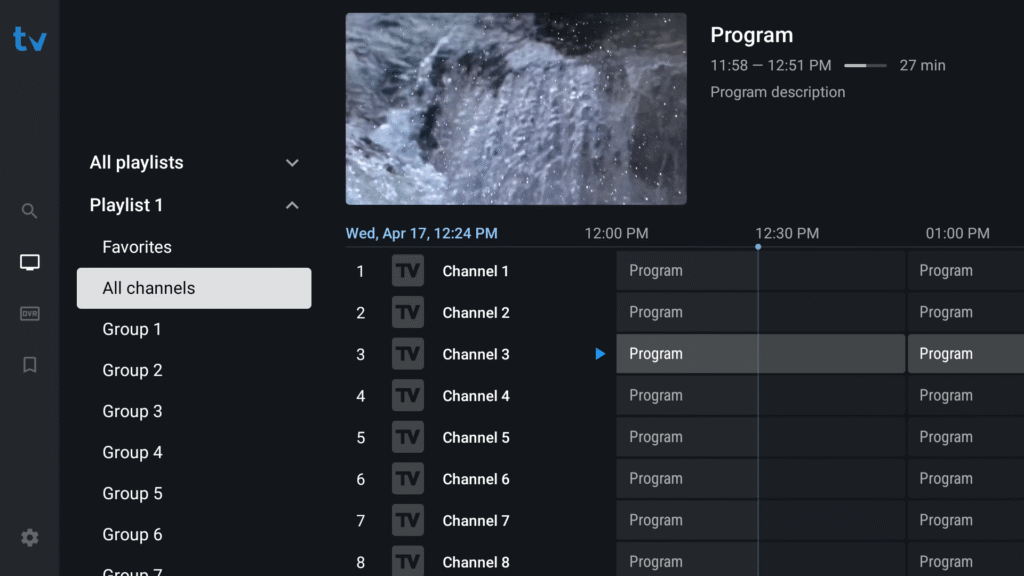
If you’re looking for the best IPTV player for Android TV or Firestick, TiviMate IPTV Player is one of the most advanced and user-friendly apps available in 2025. Designed with a modern interface and powerful features, TiviMate lets you manage and watch all your IPTV channels with ease.
🎁 FREE TRIAL IPTV
Experience the best IPTV service with HD channels, movies, and sports. Get your 24-hour free trial and enjoy unlimited entertainment!
🚀 TRIAL NOWWhat Is TiviMate IPTV Player?
TiviMate is an Android-based IPTV player that allows users to stream live TV channels using M3U playlists or Xtream codes. The app itself does not include any content — it’s simply a player that organizes and displays channels from your IPTV subscription.
It’s perfect for anyone who wants a smooth and customizable IPTV experience on Android TV, Amazon Firestick, or Android boxes.
Key Features of TiviMate
- 🖥️ Modern Interface: Clean, intuitive layout similar to traditional cable TV.
- 📅 EPG (TV Guide): Displays full channel and program information.
- 📁 Multiple Playlists: Add and manage several IPTV lists easily.
- ⭐ Favorites Management: Save your favorite channels for quick access.
- ⏺️ Recording Option: Record live TV shows (available in the premium version).
- 📡 Catch-Up Support: Watch programs you missed.
- 🔧 Customization: Change channel order, themes, and display settings.
TiviMate Free vs Premium
TiviMate offers two versions — Free and Premium.
Free Version
The free version includes essential features like playlist management and EPG display, perfect for basic IPTV viewing.
Premium Version
The premium plan unlocks advanced features, including:
- Multiple playlist support
- Scheduled recordings
- Channel grouping and custom favorites
- Auto-updates for playlists and EPG
- Backup and restore settings
You can activate TiviMate Premium via the TiviMate Companion App on the Google Play Store.
How to Install TiviMate on Android TV or Firestick
Here’s a simple step-by-step guide to install TiviMate IPTV Player:
For Android TV / Android Box
- Open the Google Play Store on your device.
- Search for “TiviMate IPTV Player.”
- Click Install.
- Once installed, open the app and select “Add Playlist.”
- Enter your M3U URL or Xtream login details.
- Wait for your channels and EPG to load.
Your IPTV interface is now ready — fast, organized, and easy to use.
How to Install TiviMate on Firestick/Android TV
Step 1 – Prepare for Installation
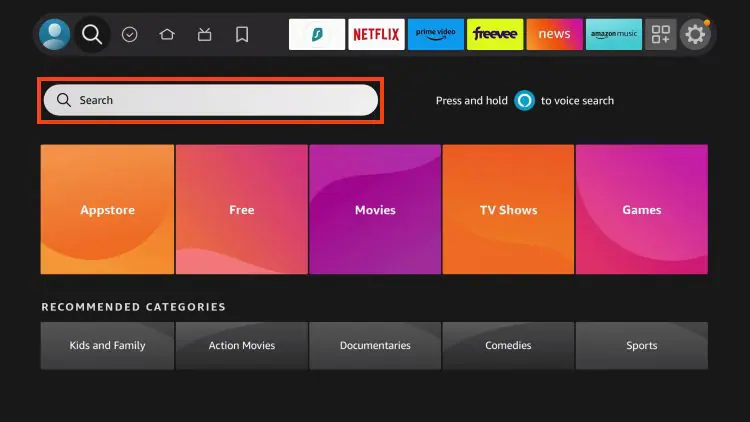
- 1. From the home screen of your device, locate the search bar and open it.
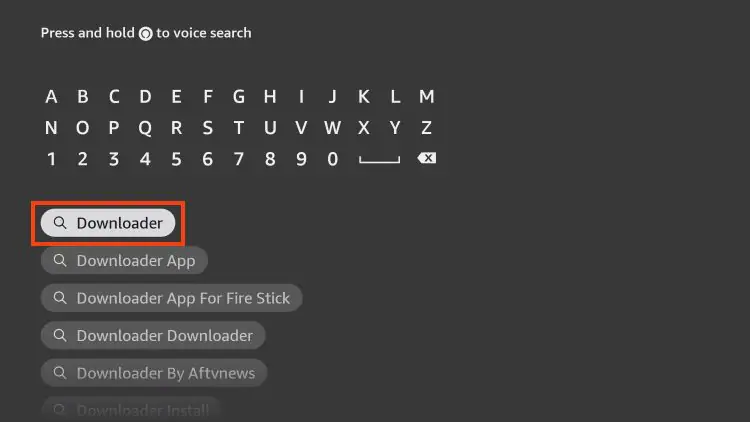
- 2. Search for the Downloader application.
- 3. Select it.
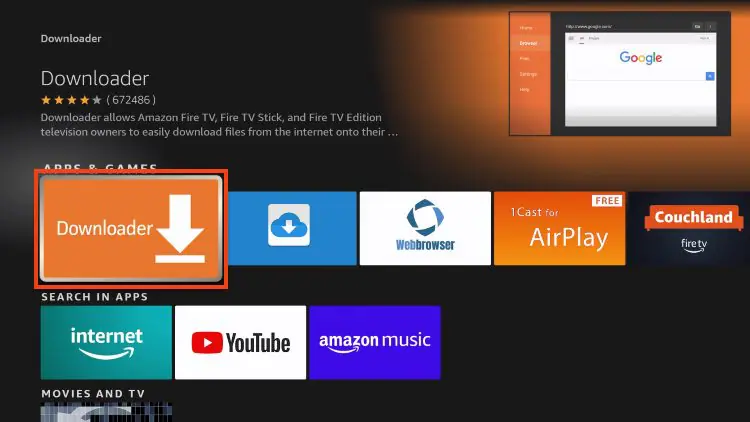
- 4 . Choose “Download” or “Get”.
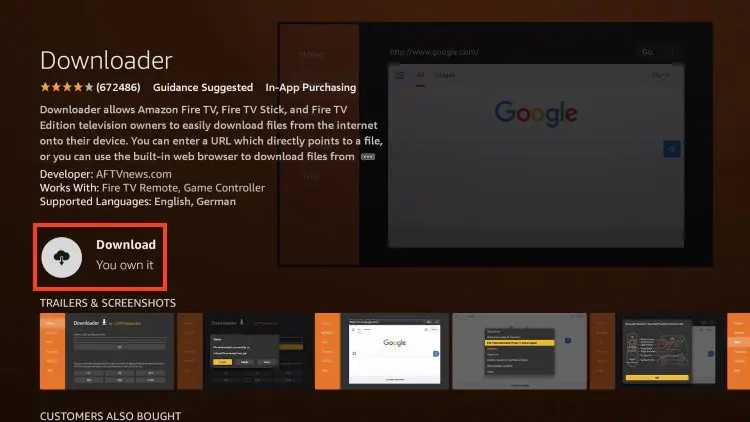
- 5. Wait a few seconds while the app downloads.
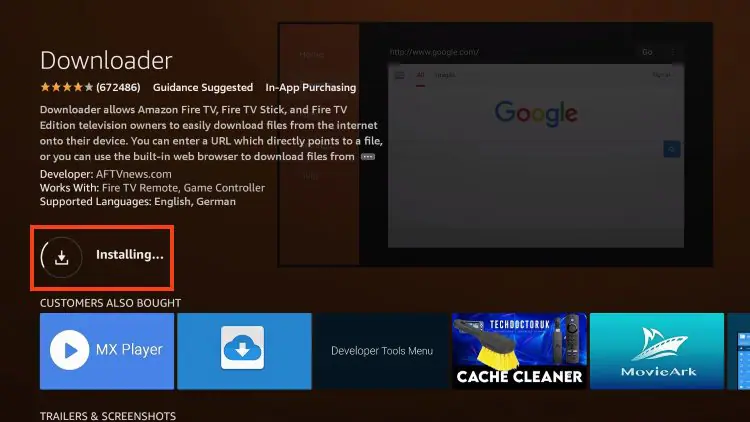
- 6 .You are notified when the installation has been completed.
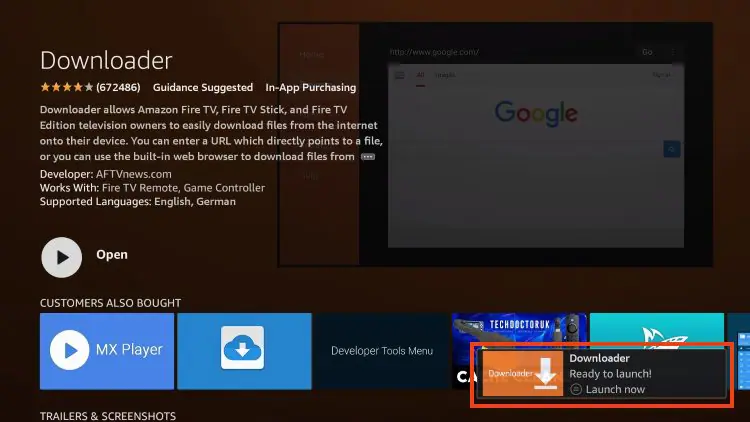
How to Install TiviMate on Android TV
Here’s a simple step-by-step guide to install TiviMate IPTV Player:
For Android TV / Android Box
- Open the Google Play Store on your device.
- Search for “TiviMate IPTV Player.”
- Click Install.
- Once installed, open the app and select “Add Playlist.”
- Enter your M3U URL or Xtream login details.
- Wait for your channels and EPG to load.
Your IPTV interface is now ready — fast, organized, and easy to use.
Is TiviMate Safe and Legal?
Yes — TiviMate is 100% safe and legal to use. It doesn’t host or stream any content itself; it simply acts as a player for IPTV playlists provided by third parties. Always ensure you use legal IPTV sources to stay compliant with copyright regulations.
Final Thoughts
TiviMate IPTV Player is one of the best IPTV apps available for Android users in 2025. With its sleek interface, customizable layout, and powerful features, it transforms your smart TV or Firestick into a true entertainment hub.
If you want a reliable, smooth, and professional IPTV viewing experience, TiviMate is definitely worth trying.
Frequently Asked Questions (FAQ)
1. What is TiviMate used for?
TiviMate is an IPTV player that allows users to stream live TV channels from an existing IPTV subscription. It organizes and displays content through an easy-to-use interface.
2. Does TiviMate come with channels?
No. TiviMate does not provide any TV channels or content. You must add your own IPTV playlist or provider details.
3. Is TiviMate free?
TiviMate offers a free version with basic features and a premium version with advanced tools like multiple playlists, recording, and customization.
4. How do I activate TiviMate Premium?
Download the TiviMate Companion App from the Google Play Store, sign in with your Google account, and purchase the premium subscription.
5. Can I install TiviMate on Firestick?
Yes. You can sideload TiviMate on Firestick using the Downloader app by entering the official URL https://tivimate.com/apk.
6. Is TiviMate safe to use?
Yes. The app is completely safe and legal when used with legitimate IPTV playlists.
7. Can I record TV with TiviMate?
Yes, recording is available in the Premium version of TiviMate. You can schedule and manage recordings directly from the app.
8. Does TiviMate support subtitles and EPG?
Absolutely. TiviMate supports both EPG (Electronic Program Guide) and subtitles, depending on your IPTV provider’s setup.
Pingback: How to Watch CAN 2025 with IPTV (Africa Cup of Nations Live Guide) - iptv.com.co